ibis Paint X
Graphics & Design/Entertainment
37.05 MB




iPhone、iPad、iPod touch
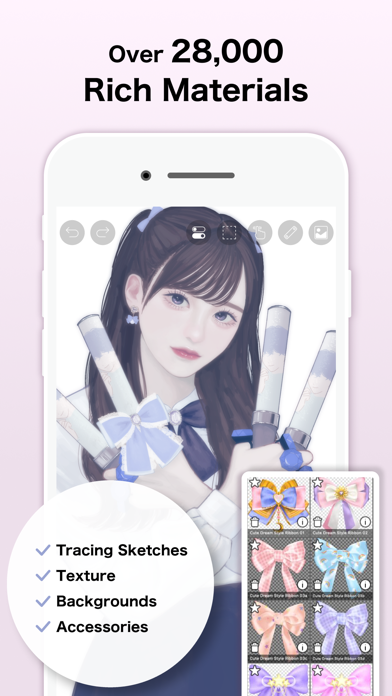
ibis Paint X is a popular and versatile drawing app downloaded more than 500 million times in total as a series, which provides over 105,000 brushes, over 29,000 materials, over 3,000 fonts, 84 filters, 46 screentones, 27 blending modes, recording drawing processes, stroke stabilization feature, various ruler features such as radial line rulers or symmetry rulers, clipping mask features. *YouTube channel Many tutorial videos on ibis Paint are uploaded to our YouTube channel. Subscribe it! https://youtube.com/ibisPaint *Concept/Features - A Highly functional and professional features surpassing that of desktop drawing apps. - Smooth and comfortable drawing experience realized by OpenGL technology. - Recording your drawing process as a video. - SNS feature where you can learn drawing techniques from other users' drawing process videos. *Feedback from users We receive many good reputations from users. - I could have never assumed that I can draw such a beautiful drawings on smartphones! - Easiest to use among all drawing apps! - I have learned how to draw digital drawings without Mac or PC! *Features ibis Paint has high functionality as a drawing app along with features of sharing drawing processes with other users. [Brush Features] - Smooth drawing at up to 120 fps. - Over 105,000 kinds of brushes including dip pens, felt tip pens, digital pens, air brushes, fan brushes, flat brushes, pencils, oil brushes, charcoal brushes, crayons and stamps. [Layer Features] - You can add layers as many as you need with no limit. - Layer parameters that can be set to each layers individually such as layer opacity, alpha blending, adding, subtracting, and multiplying. - A handy clipping feature for clipping images, etc. - Various layer commands such as layer duplication, import from the photo library, horizontal inversion, vertical inversion, layer rotation, layer moving, and zooming in/out. - A feature for setting layer names to distinguish different layers. [Manga Features] - Advanced text tool function featuring Vertical, Horizontal, Stroke, Font select, and Multiple text functions. *About ibis Paint purchase plan The following purchase plans are available for ibis Paint: - ibis Paint X (free version) - ibis Paint (paid version) - Ad Removal Upgrade - Premium Membership (Monthly plan / Yearly plan) There is no difference in features other than the presence or absence of advertisements for the paid version and the free version. If you purchase the Ad Removal Upgrade, the ads will not be displayed and there will be no difference from the paid version of ibis Paint. In order to use more advanced functions, the following Premium Membership (Monthly plan / Yearly plan) contracts are required. [Premium Membership] A premium member can use the premium features. Only for the first time, a 7-day or 1-month free trial is available. Premium membership entitles you to the following features. - 20GB of cloud storage capacity - Vector tool(*1) - Premium Materials - Premium Canvas Papers - Premium Fonts - Tone Curve filter - Gradation Map filter - Levels Adjustment filter - Premium Adjustment Layers - Surrounding Fill・Surrounding Eraser - AI Disturbance - Artwork folder feature - Import original brush patterns - Creating multiple Color Palettes - CMYK export - Remove watermark from videos - No advertisements displayed - Plus many other features exclusive to Premium Membership! (*1) You can try it for free for up to 1 hour per day. * After you become a Premium Membership with a free trial, renewal fee will be charged automatically unless you cancel your Premium Membership at least 24 hours before the end of the free trial period. * We will add premium features in future, please look out for them. *Questions and support Questions and bug reports in reviews will not be responded to, so please contact ibis Paint support. https://ssl.ibis.ne.jp/en/support/Entry?svid=25 *ibisPaint's terms of service https://ibispaint.com/agreement.jsp
What's New
Thank you for using ibisPaint X! The summary of this update is as follows. [New Features] - Added the ability to customize Stabilizer and Force Fade settings individually for each brush. - Added two Real time stabilization modes: Constant and Fast Strokes. - Improved the brush tool’s stroke-tracking responsiveness and made the fade length consistent. You can return to the previous drawing feel from the Settings window via "Brush Prediction" . You can also configure this per brush with the brush parameter “Disable Prediction”. - Added the brush parameters "Fade Start Time" and "Fade End Time". - Added the ability to add audio to animation artworks. - Added keyboard shortcuts for playing/stopping an animation and for adding and deleting clips in animation artworks. - Added a "3D Layer" feature that lets you place 3D materials. - Added a “Smart Shapes” feature that automatically corrects freehand drawings into “straight lines,” “Bézier curves,” and other shapes. - Added "Relief HQ" filter to "Style" filter category. - Added "Smart Credits" — a points system required to access some of the advanced features in ibisPaint (referred to as "Smart Features"). Credits can be purchased from each Smart feature, and your balance can be viewed in the Settings window. - Added keyboard shortcuts for actions such as displaying the ruler and adding vector layers. - Added keyboard shortcuts to switch between custom brushes. - Added a "Solo Mode" feature that displays only the specified layer. - Added a Premium feature that moves deleted artworks to “Recently Deleted Artworks” and retains them for 30 days. - Added "Oil Paint" filter to "Artistic" filter category. - Enhanced the Trim feature. You can now enter Position, Width, and Height as numerical values, specify a crop area that extends beyond the original canvas, and trim while rotating the canvas. - You can now undo and redo adjustments while using the Transform Tool. - The mouse cursor now changes depending on the situation. This setting can be changed in the "Cursor" section of the Settings window. - When using a stylus with hover functionality, the cursor is now displayed at the hover position. This setting can be changed in the "Cursor" section of the Settings window. - Improved the design of rulers to be less obtrusive while drawing, and added the ability to change the ruler color. - Added "Touch History Completion", which captures more touch points (enable from the Settings window). [Improvements, Changes] - Added 33 new brushes including "Tilt Mesh 1", "Vintage Tilt Mesh 1", "Multi Line", "Parallel Lines (Thin)" and "Ink Bloom". - Added new blurring shape "Brush 19". - Added new brush patterns "Coral", "Dot Line 1", "Dot Line 2", "Double Line", "Triple Line", "Parallel Lines 1", "Parallel Lines 2", "Parallel Lines 3", "Grunge Texture" and "Layered Paint". - Added new texture patterns "Dot Mesh 1", "Dot Mesh 2", "Dot Mesh 3", "Dot Mesh 4", "Dot Mesh 5", "Vintage Mesh 1", "Vintage Mesh 2", "Vintage Mesh 3", "Bleeding Wood Grain" and "Marble". - A new vertical text layout method has been introduced for newly created text in the text tool. - The colors of UI elements such as buttons now react and change in response to hovering by mouse or stylus. - "Brush Cursor while Hovering" and "Show Cross Mark while Hovering" in the "Stylus" section of the Settings window have been renamed to "Brush Tool Cursor" and "Show Cross Mark", respectively, and moved to the "Cursor" section. - When "Show Cross Mark" is enabled in the Settings window, the cross mark now remains visible even while drawing with the brush. - Added the ability to resize the window height of some filters and the Transform Tool. - In My Gallery, after tapping an artwork to enlarge it, tapping the artwork once more now opens the Canvas screen. - Added support for importing multiple files. etc. For more details, see: https://ibispaint.com/historyAndRights.jsp?newsID=303340270
ibis Paint X最新バージョン11.0.4 ipa
ipaバージョン 11.0.4 ·2026/09/07
Information
- Size
- 37.05 MB
- Language
- AR、NL、EN、FR、DE、HE、HI、ID、IT、JA、KO、PT、RU、ZH、ES、TH、ZH、TR、VI
- Provider
- ibis inc.
- Category
- Graphics & Design/Entertainment
- Age Rating
- 4+
- Price
- Free
- Bundle ID
- jp.ne.ibis.ibisPaintX
- Region
- US
- Compatibility
-
iPhone
Requires iOS 15.0 or later.
iPad
Requires iPadOS 15.0 or later.
iPod touch
Requires iOS 15.0 or later.
すべてのバージョン
-
ibis Paint X - v7.1.0
2023/11/18 · 37.05 MB · フルアクセスバージョン
ibis Paint X-v7.1.0.ipaダウンロード - ipaリソースサイト - 抽出 -
ibis Paint X - v11.0.4
2023/11/18 · 36.72 MB · フルアクセスバージョン
ibis Paint X-v11.0.4.ipaダウンロード - ipaリソースサイト - 抽出 -
ibis Paint X - v11.0.0
2023/11/18 · 37.59 MB · フルアクセスバージョン
ibis Paint X-v11.0.0.ipaダウンロード - ipaリソースサイト - 抽出 -
ibis Paint X - v10.1.6
2023/11/18 · 35.97 MB · フルアクセスバージョン
ibis Paint X-v10.1.6.ipaダウンロード - ipaリソースサイト - 抽出 -
ibis Paint X - v10.1.3
2023/11/18 · 35.97 MB · フルアクセスバージョン
ibis Paint X-v10.1.3.ipaダウンロード - ipaリソースサイト - 抽出 -
ibis Paint X - v9.3.0
2023/11/18 · 37.29 MB · フルアクセスバージョン
ibis Paint X-v9.3.0.ipaダウンロード - ipaリソースサイト - 抽出 -
ibis Paint X - v9.2.3
2023/11/18 · 36.94 MB · フルアクセスバージョン
ibis Paint X-v9.2.3.ipaダウンロード - ipaリソースサイト - 抽出 -
ibis Paint X - v9.2.2
2023/11/18 · 36.94 MB · フルアクセスバージョン
ibis Paint X-v9.2.2.ipaダウンロード - ipaリソースサイト - 抽出 -
ibis Paint X - v9.2.1
2023/11/18 · 36.94 MB · フルアクセスバージョン
ibis Paint X-v9.2.1.ipaダウンロード - ipaリソースサイト - 抽出 -
ibis Paint X - v9.1.2
2023/11/18 · 36.59 MB · フルアクセスバージョン
ibis Paint X-v9.1.2.ipaダウンロード - ipaリソースサイト - 抽出 -
ibis Paint X - v9.1.1
2023/11/18 · 36.59 MB · フルアクセスバージョン
ibis Paint X-v9.1.1.ipaダウンロード - ipaリソースサイト - 抽出
You Might Also Like
左にスワイプして他のアプリを見る


Polywar SWAT Tactical Shooter
US · 76.76 MB



Hero Continent - MMORPG
US · 63.13 MB · iOS 13.0+



Truckers of Europe 3
US · 839.27 MB · iOS 15.0+